
What a ServiceTitan Audit Actually Looks Like
Most home service companies I talk to fall into one of two camps. Either they implemented ServiceTitan years ago and have been limping along with a setup that no longer fits their business, or they're relatively new to the platform and know they're not using it to its full potential. Both groups have the same question: where do we even start?
That's where an audit comes in.
I've run hundreds of ServiceTitan audits at this point, and I want to pull back the curtain on what that process actually involves. Not because I think you should DIY your own audit (though you could try), but because understanding what we look at helps you understand why your ServiceTitan might be working against you instead of for you.
It's Not Just About Settings
When most people hear "audit," they think we're going to poke around in Settings for an hour and hand them a list of toggles to flip. That's maybe 10% of what we actually do.
A real audit looks at how your team is using the platform day-to-day, whether the data you're collecting is accurate, and whether your configuration actually supports the way you run your business. Settings matter, but behavior matters more.
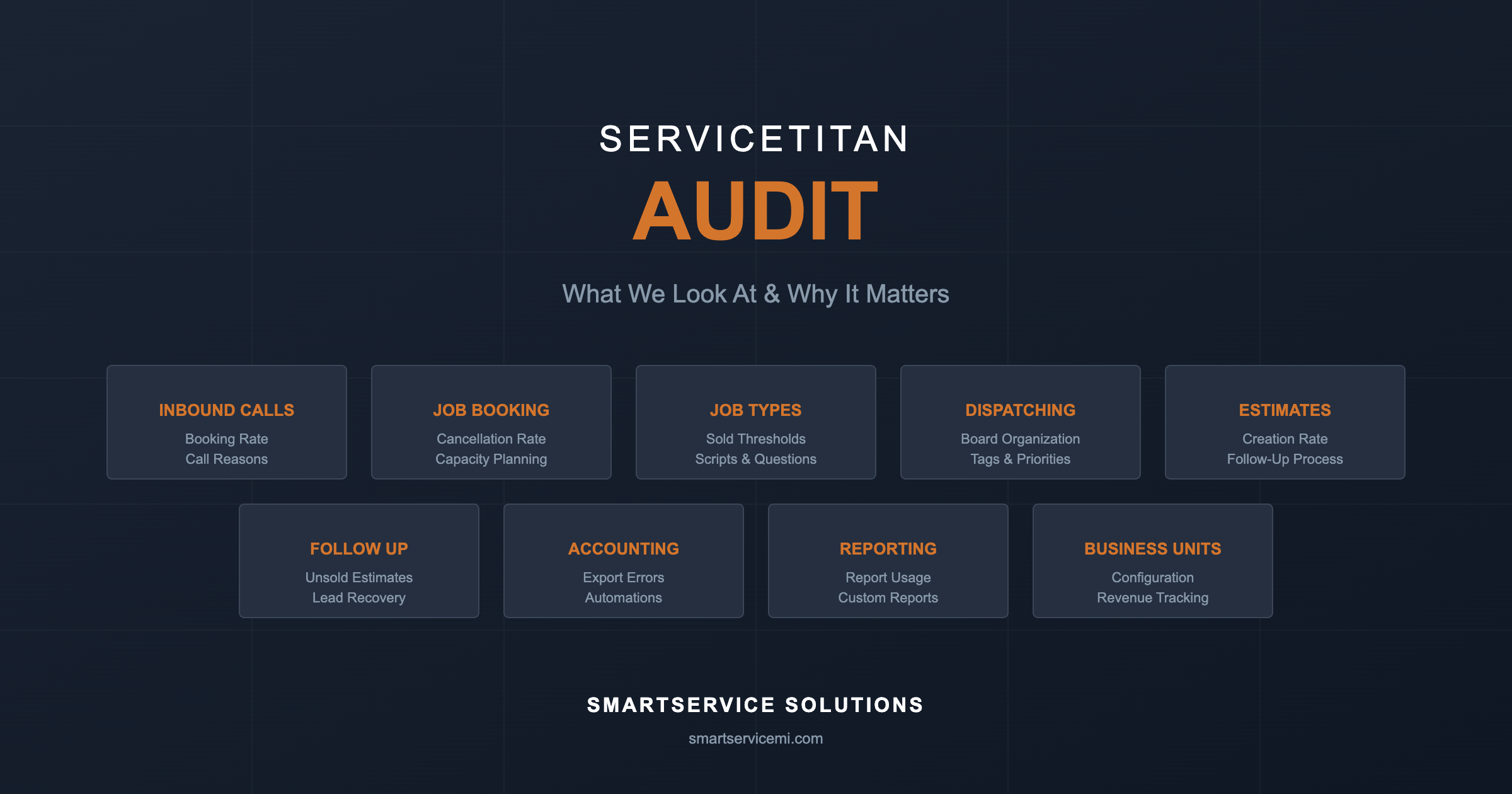
Here's a rough breakdown of the areas we dig into.
Inbound Calls and Job Booking
This is where revenue either enters your business or leaks out of it. We look at your call booking rate, but more importantly, we look at why calls aren't converting. Are your call reasons set up in a way that actually tells you something useful? When jobs get canceled, do your cancellation reasons give you actionable information, or is everything just "customer changed mind"?
We calculate estimated lost revenue from cancellations. For a lot of companies, this number is genuinely shocking. You might be losing $50,000 or $100,000+ per year to cancellations you could have prevented if you'd known why they were happening.
We also check whether your capacity planning is configured and actually being used. If your CSRs are just overriding capacity every time the board looks full, you don't really have capacity planning. You have a suggestion that everyone ignores.
Job Types and Settings
Job types are the backbone of your ServiceTitan setup, and they're almost always a mess. We look at whether your sold thresholds are set correctly (this affects your conversion rate reporting), whether you're using No Charge and Unconvertible job types appropriately, and whether your team is actually selecting the right job types when they book calls.
One thing I check that surprises people: do you have questions or scripts attached to your job types? ServiceTitan lets you prompt your CSRs with specific questions based on what kind of call it is. A drain call should have different questions than a water heater replacement lead. Most companies have never set this up, which means their CSRs are winging it on every call.
Dispatching
The dispatch board is where I usually find the most opportunities. We look at how organized the board is, how many jobs are sitting on hold, and how much revenue those held jobs represent. I've seen companies with $200,000 worth of jobs just sitting on hold because nobody's managing the board properly.
We check whether you're using tags effectively. Tags should make the dispatch board scannable at a glance. If your dispatcher has to click into every job to understand what's going on, you're wasting their time. Are arrival windows visible? Is equipment age showing? Can they see which customers have already been rescheduled?
We also look at whether you're using any of the route optimization tools (which I wrote about in a previous post), whether your dispatchers are actually debriefing technicians after calls, and whether you're using task management to track follow-ups.
Estimates and Follow-Up
Here's where a lot of revenue hides. We look at what percentage of jobs are actually getting estimates created, what percentage of those estimates are being presented to customers (not just built and forgotten), and what percentage are being emailed so customers can review them later.
Then we look at follow-up. How many unsold estimates are sitting in your system from the last year? How many sold estimates never got booked? Is anyone actually following up on these, or are they just disappearing into the void?
For most companies, there's six figures of recoverable revenue sitting in unsold and unbooked estimates. But you can't recover it if you don't have a process.
Accounting and Payroll
We look at whether purchase orders are being used, whether invoices are being batched and posted on time, and whether there are errors in your pending export report. We check for unexported invoices and unexported revenue, because if it's not getting to your accounting system, it's not real.
We also look at the newer automation features like touchless integration, auto-apply rules, and automated refund workflows. These can save your office staff hours every week, but most companies either haven't turned them on or haven't configured them correctly.
The Scorecard
All of this gets documented in a scorecard. Every item has a score, and we track that score over time. Because here's the thing: an audit isn't a one-time event. It's a baseline.
When we work with a client, we typically do an initial audit, then a second audit a few months later, then a third. The goal isn't just to identify problems. It's to measure whether the problems are actually getting fixed.
Where the Audit Fits in the Bigger Picture
The audit is Phase 0. It gives us a clear roadmap and helps us prioritize what to fix first. But the audit alone doesn't fix anything.
After the audit, we move into what I call the Foundation phase. This is where we do the data cleanup, settings optimization, and job type fixes. We train your staff on how to enter data correctly so that the problems don't just come back.
From there, we move into Operations (CSR and dispatch training, daily rhythm setup, process SOPs), then Revenue (outbound calling, estimate follow-up, membership sales), then Optimization (pricebook cleanup, tech stack review, automations), and finally Mastery (advanced training, results review, documentation for the future).
The full journey takes about six months. The audit takes a few hours. But those few hours tell us exactly where to focus for the next six months.
Should You Audit Yourself?
You could try. Go through your call booking rate, your cancellation rate, your dispatch board, your unsold estimates. Look at whether your notifications are turned on. Check if your pricebook items are linked to GL accounts.
But here's what you'll run into: you don't know what good looks like. Is a 78% call booking rate good or bad? (It depends.) How many jobs on hold is too many? (It depends on the dollar value and how long they've been there.) What percentage of estimates should be getting emailed? (Higher than you think.)
The value of having someone external do the audit isn't just the checklist. It's the benchmarking. It's knowing whether your numbers are actually a problem or just a number.
What Happens After
When we finish an audit, we don't just hand you a spreadsheet and wish you luck. We walk through the critical findings, explain why they matter, and help you prioritize what to tackle first. Some things are quick wins. Some things require training. Some things require process changes that take months to stick.
The audit is the starting line. What matters is what you do next.
Curious what your ServiceTitan audit would reveal? We work with home service companies in the $1-50M range to optimize their operations. Schedule a call to learn more about our audit process and ongoing support.